
Game Interface - Controls Overview
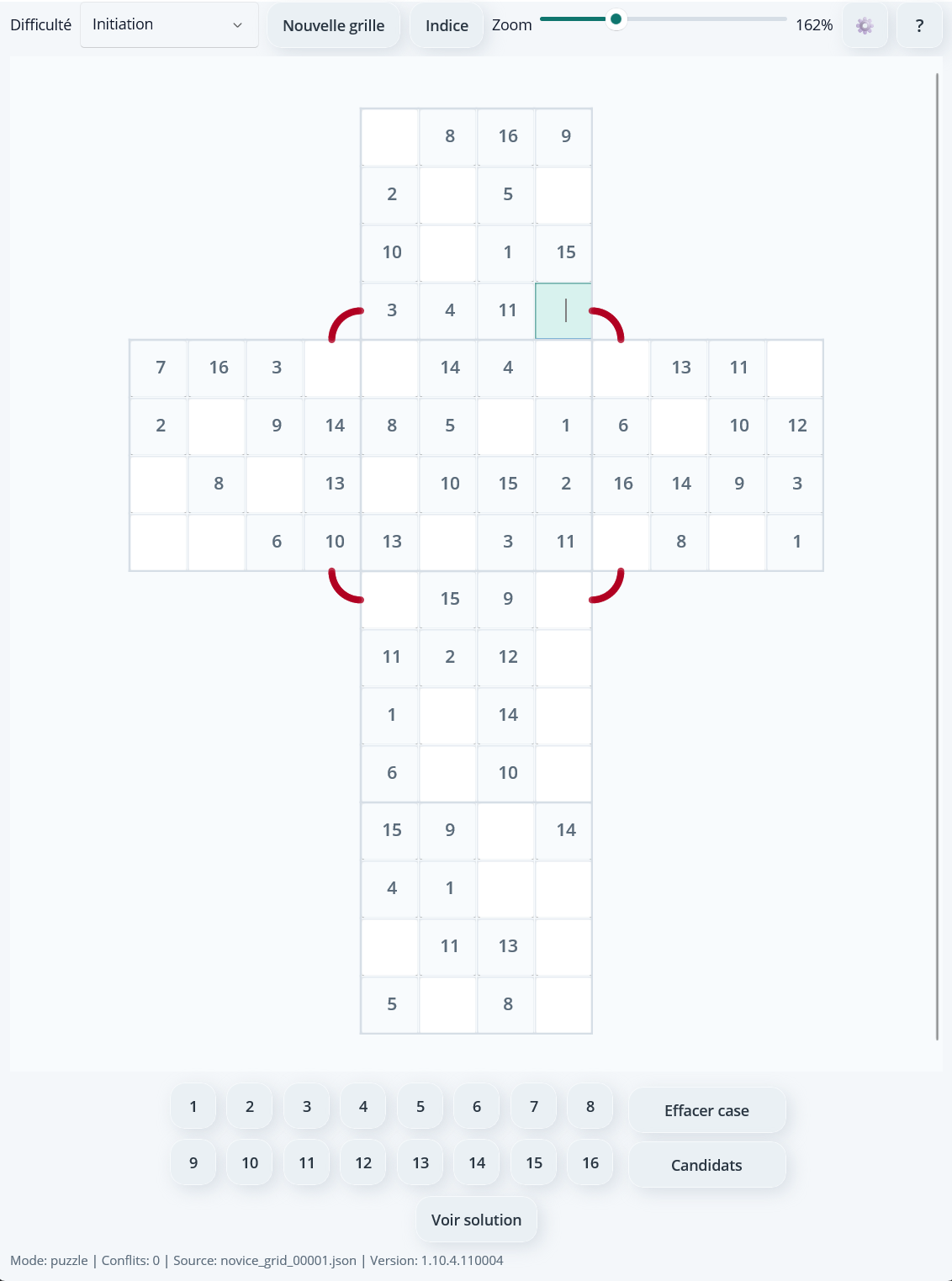
Before you start playing, here is an overview of the interface and its main controls.
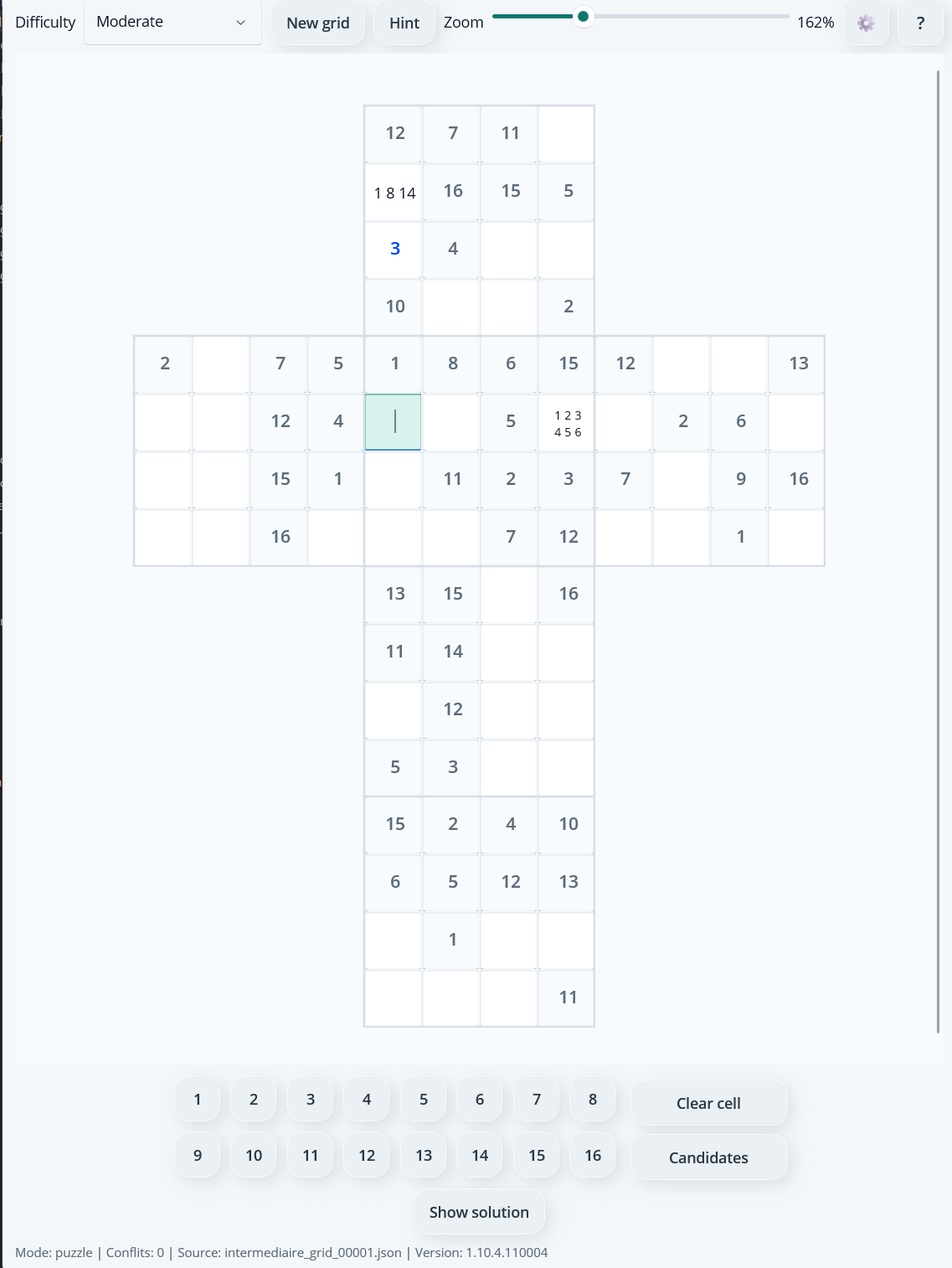
The dropdown menu in the top-left corner lets you choose your level: Initiation, Easy, Moderate, Hard, Advanced, or Expert. Select one to load a new matching grid.
The zoom slider lets you enlarge or shrink the grid to match your tablet and visual preference. If you change the grid size, that new size is saved and restored the next time you launch the app.
Opens the settings window to change country, language, and the app visual theme.
Opens the app help page so you can access rules and explanations at any time.
Tap a grid cell to select it, then tap a number (1 to 16) on the keypad. The number appears large in the cell. Use this mode when you are confident in your answer. Confirmed numbers appear in blue.
Tap the button to activate this mode. You can then write multiple possible numbers (1 to 16) in the same cell to keep track of your hypotheses.
Tap the button again to exit this mode.
Candidate numbers are displayed in gray across one to three lines depending on how many candidates are selected.
Clears the selected cell content, whether it is a confirmed number or candidate notes. Useful to correct a mistake or reset a cell.
You can close the app at any time without losing progress. When you reopen it, the grid is restored exactly as you left it: confirmed numbers, candidates, selected level - everything is saved locally on your device.
Cube 16 - Understanding faces, vertical, horizontal, and lateral lines
Cube 16 is a logic puzzle based on a cube where each face is a 4x4 grid containing numbers from 1 to 16.
To play well, you need to understand how lines continue from one face to another in the 2D cross.
In the end, you must fill the cube so that each face, each vertical line, each horizontal line, and each lateral line contains numbers 1 to 16 without repetition.
1. Each cube face must contain numbers 1 to 16
Each cube face must contain numbers 1 to 16, and the same number cannot be used more than once on that face.
2. Each vertical line of the cube must contain numbers 1 to 16
Vertical lines continue from top to bottom.
It is much easier to visualize with vertical highlighting.
3. Each horizontal line of the cube must contain numbers 1 to 16
Horizontal lines go from left to right and continue onto the bottom face, but reversed.
Here, it is much harder to visualize horizontal continuity.
Let your brain do the work and you will see that numbers 1 to 16 follow correctly on each horizontal line.
The fun starts here 🙂
4. Lateral lines (vertical loops around the cube) must contain numbers 1 to 16
Lateral lines are continuous columns that pass through faces Up -> Right -> Down -> Left.
This is a challenge on another level.
The fun continues 🙂
Initiation Mode - Visualizing links between horizontal and lateral lines
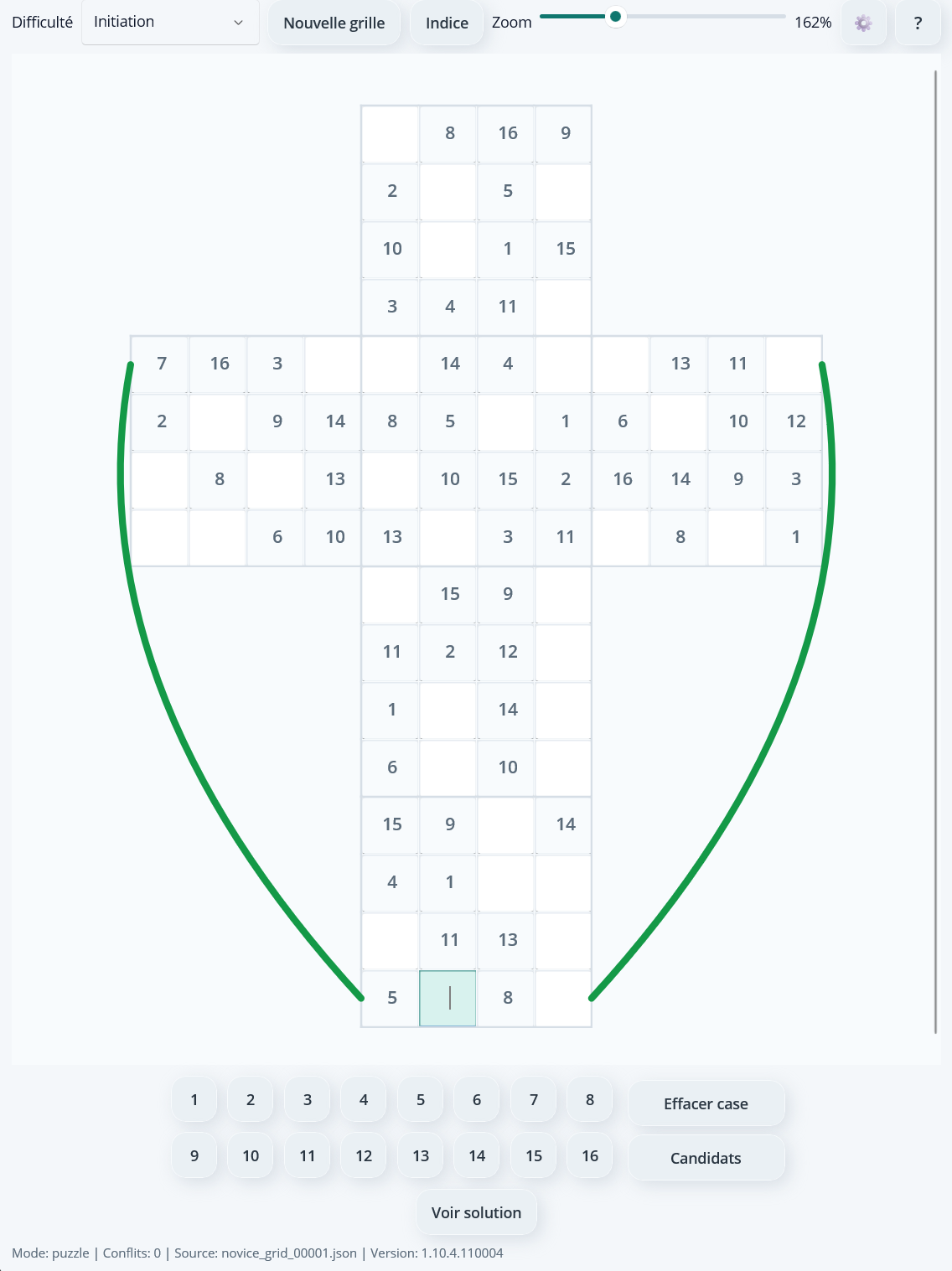
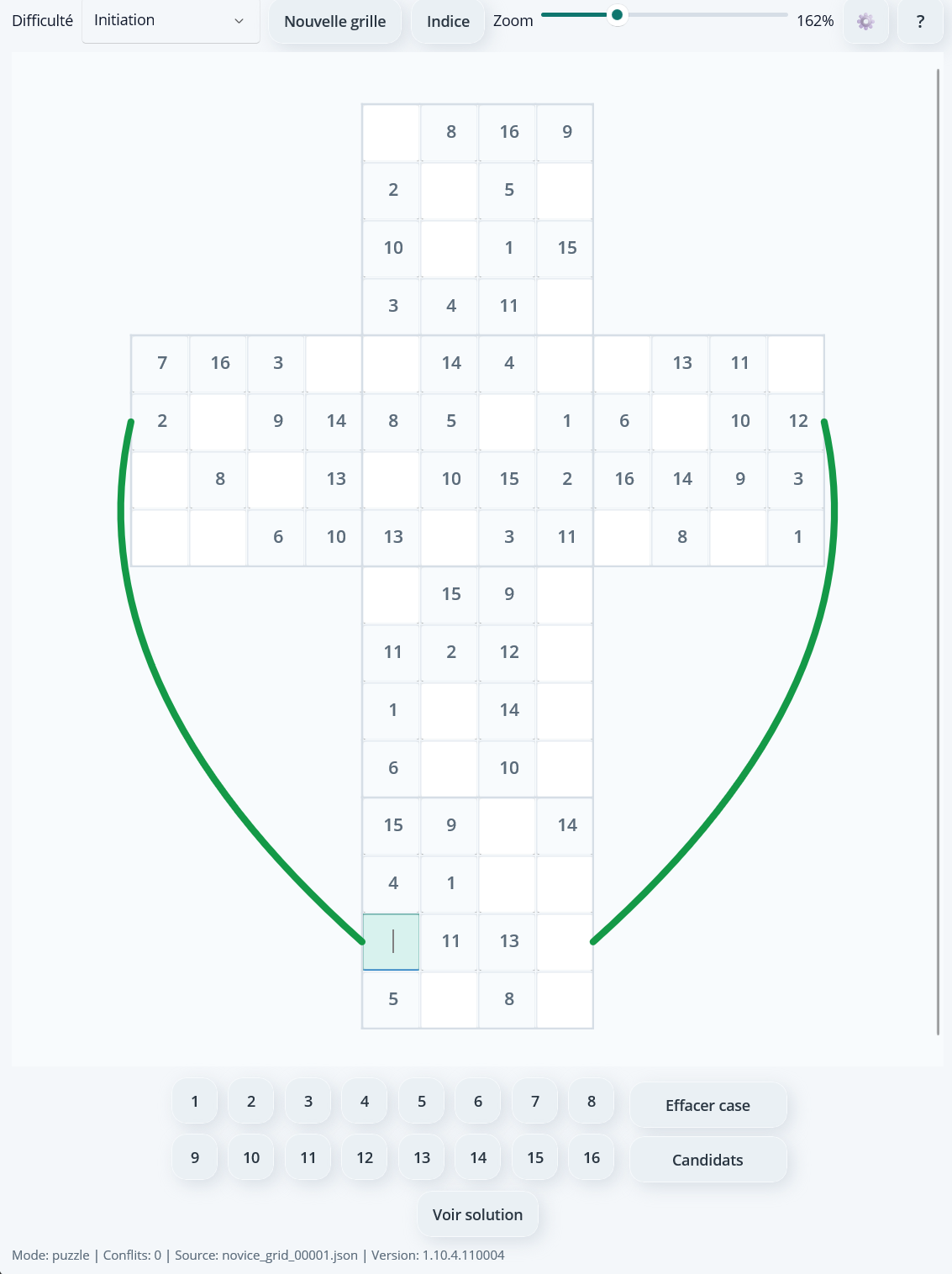
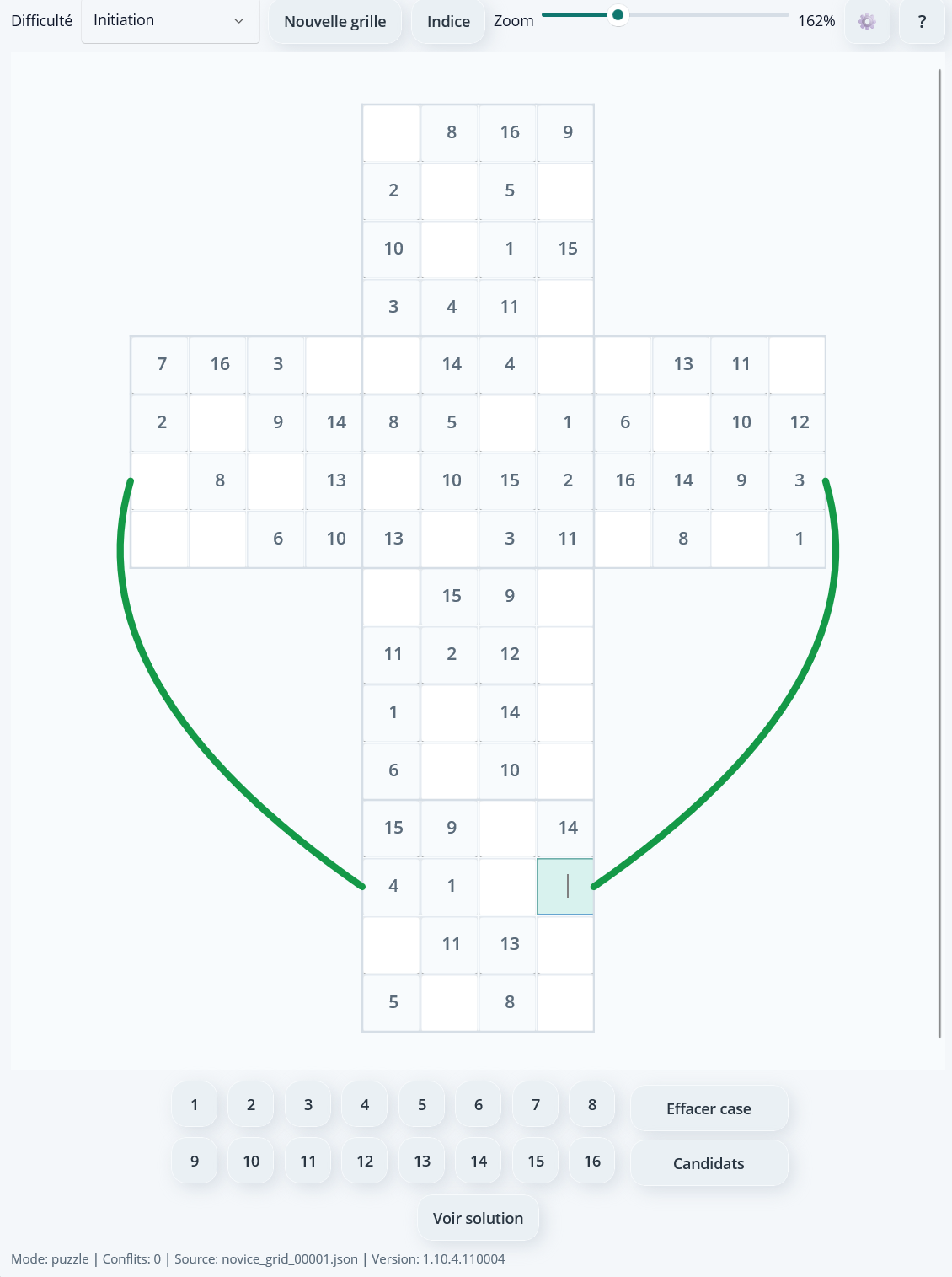
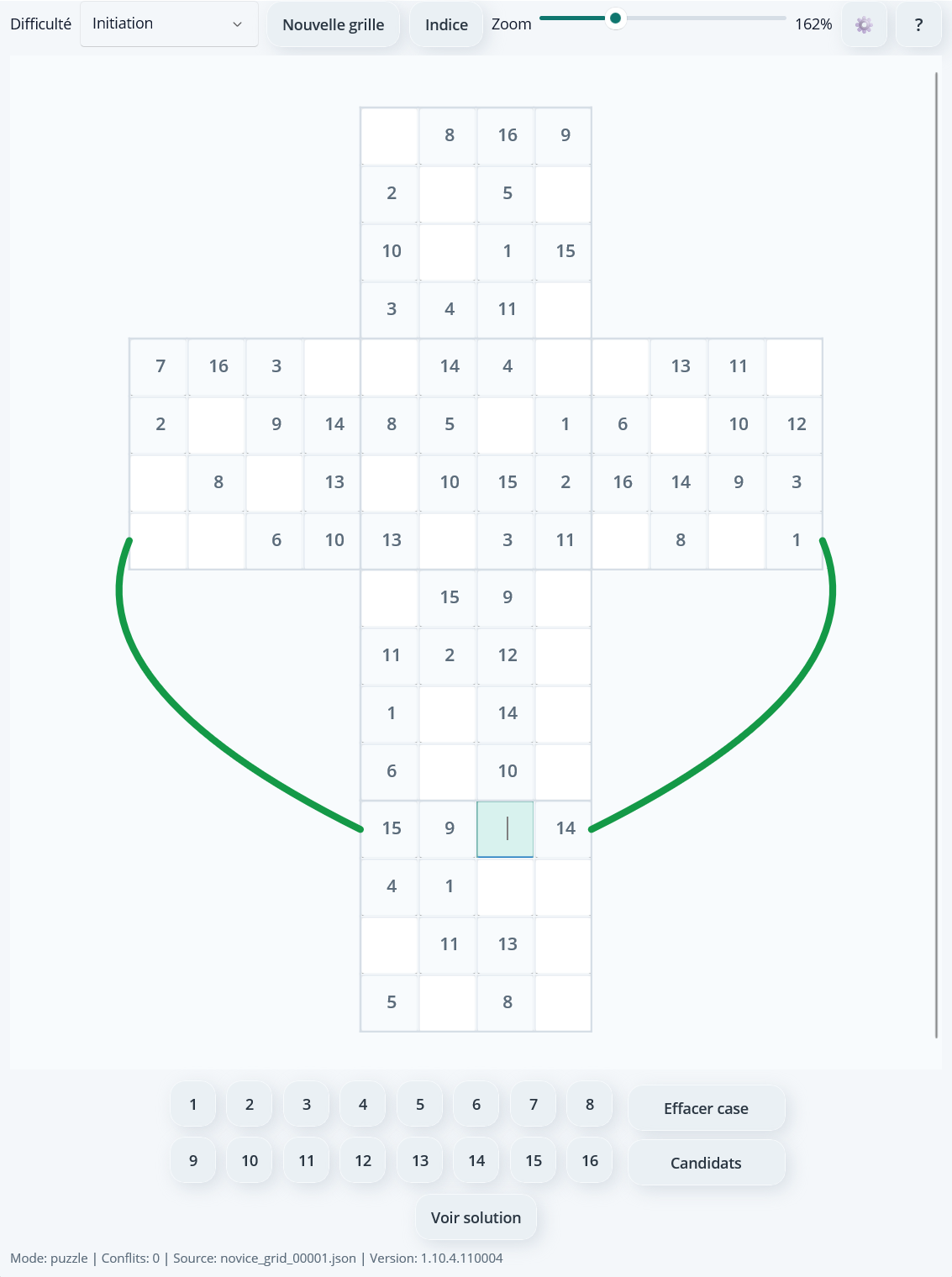
• A green curve shows horizontal line links (rows that pass through Left -> Front -> Right -> Back faces).
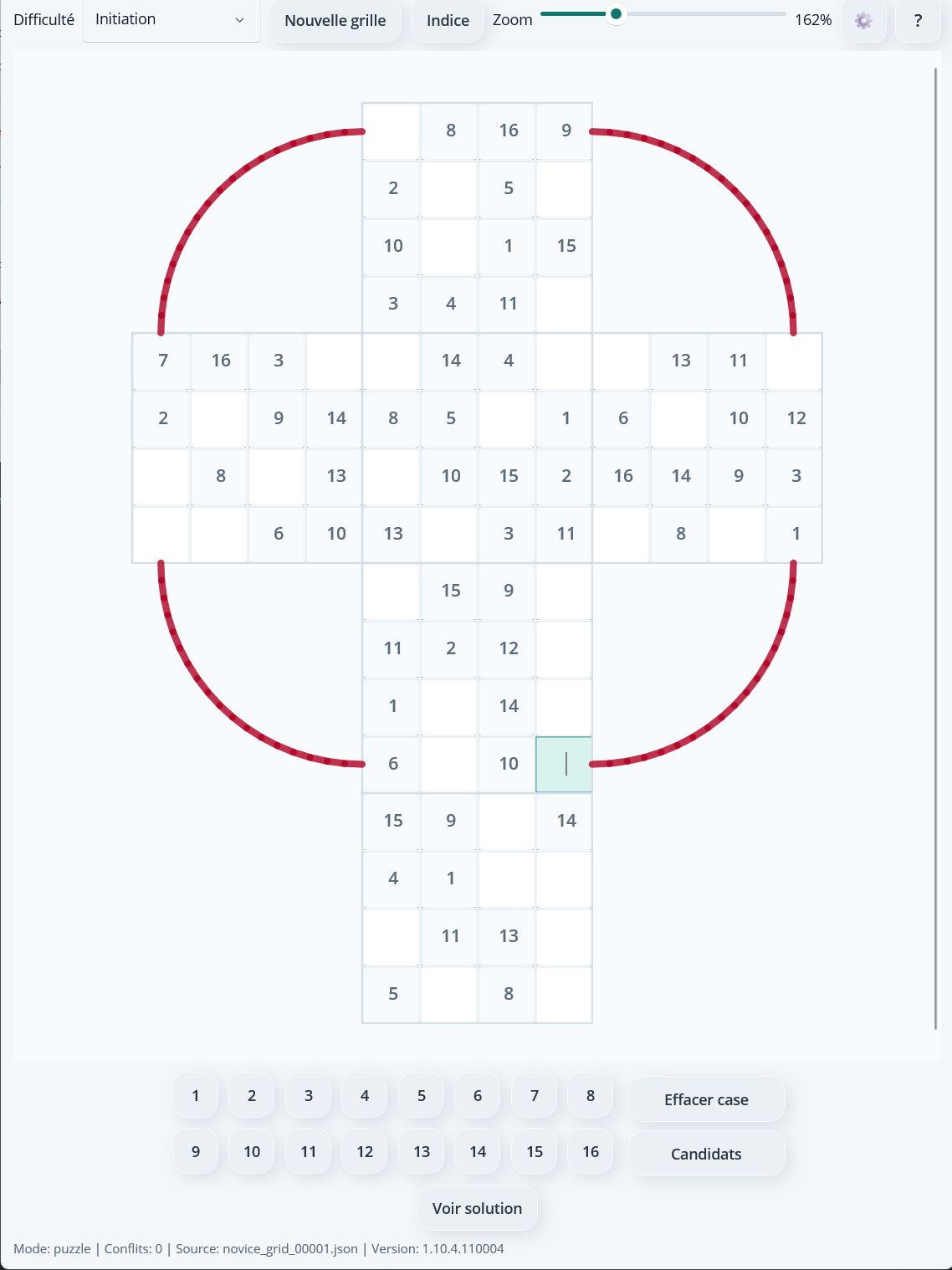
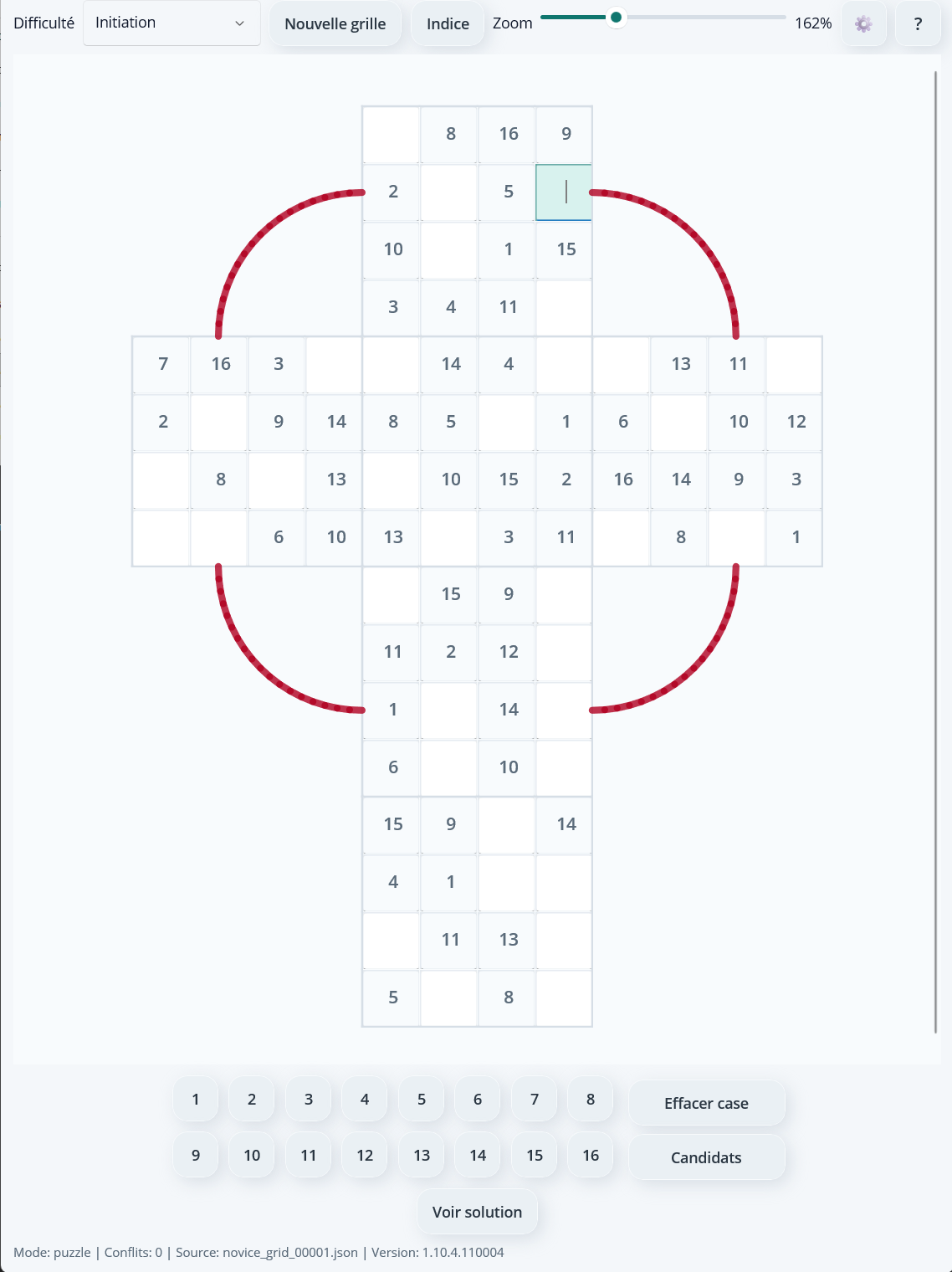
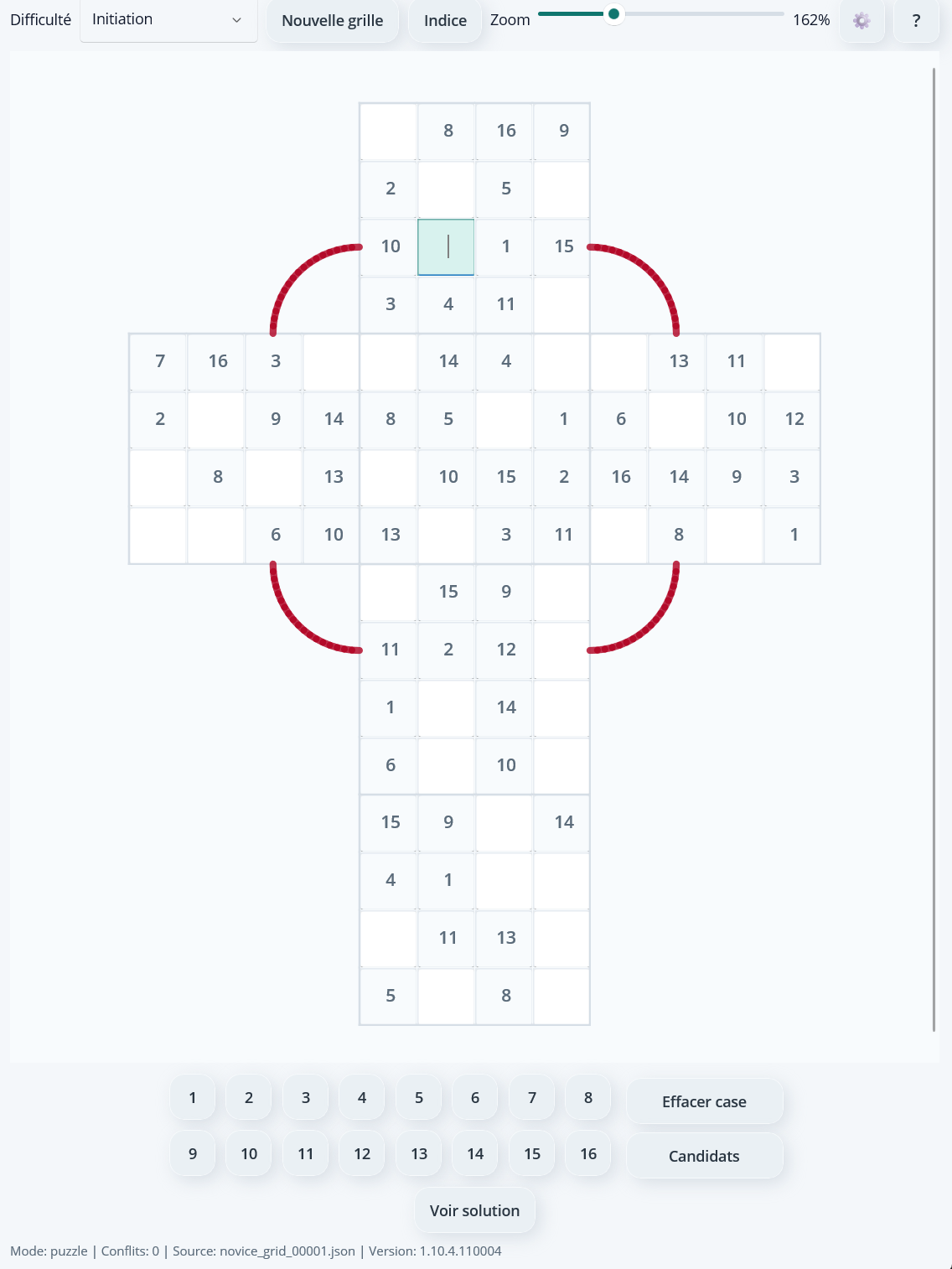
• A red curve shows lateral line links (loops rotating around the cube through Up -> Right -> Down -> Left).
Links between horizontal lines
Each horizontal row extends across three consecutive faces, then continues on the Back face (reversed). The animation below shows the 4 rows one after another.
Links between lateral lines
Each lateral line forms a full loop around the cube: Up -> Right -> Down -> Left. The animation below shows the 4 loops one after another.
Application Settings
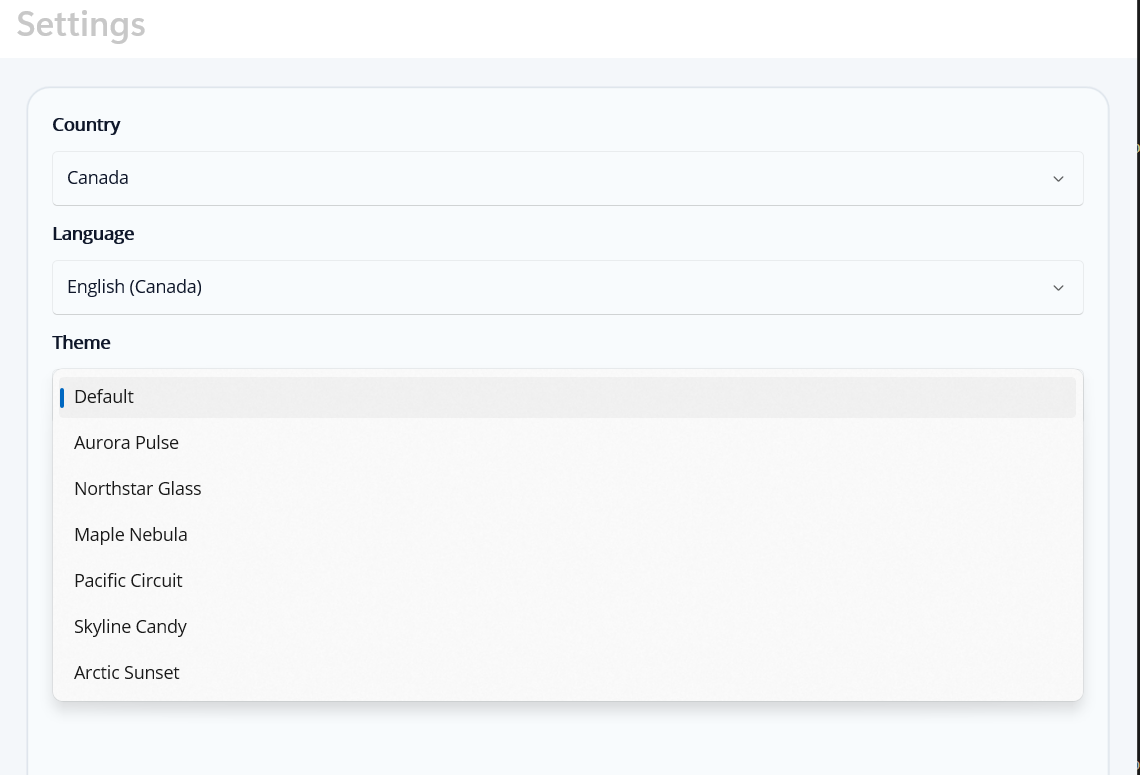
The app lets you customize your gameplay experience using three settings available from the configuration screen. Tap the Settings button in the app to open this window.
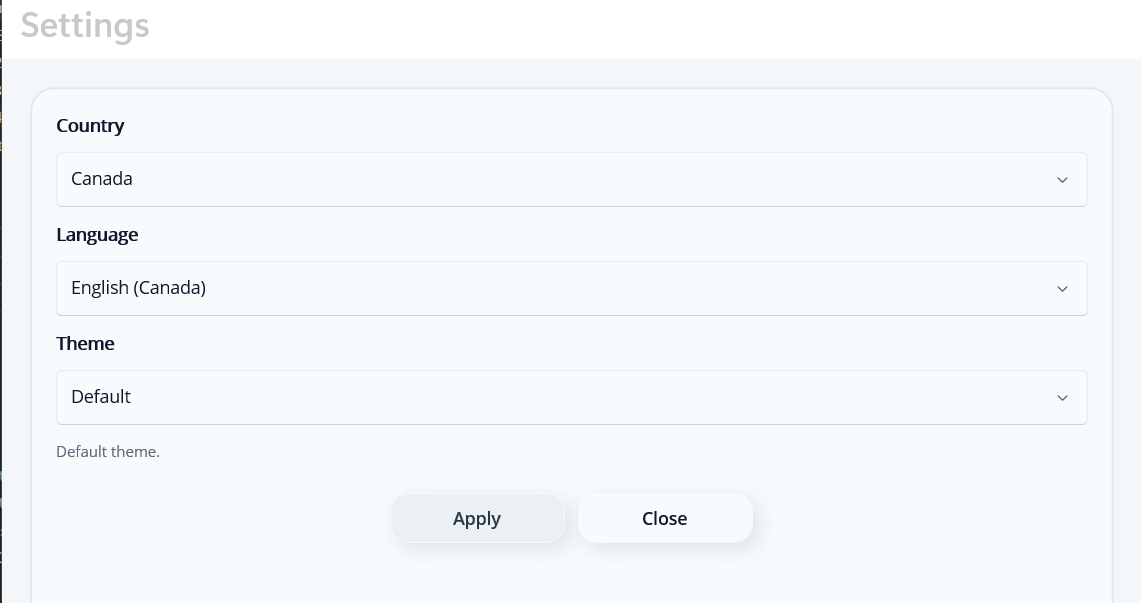
Select your country from the dropdown list. This choice affects the available language options and adapts some interface elements to your region. We currently support 8 countries: Canada, France, United States, United Kingdom, Germany, Japan, South Korea, China, and India.
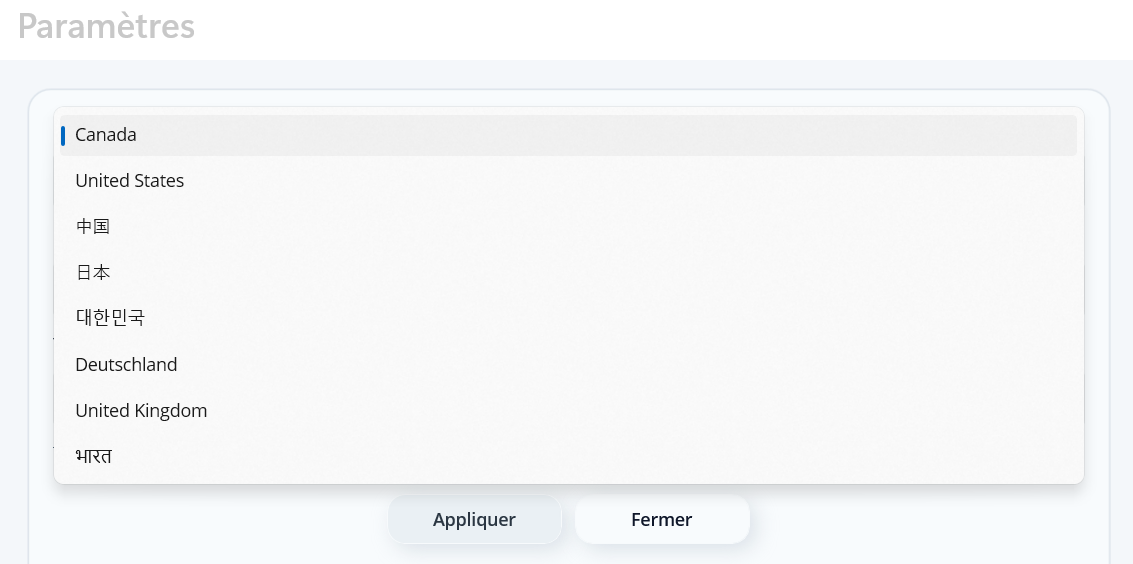
Choose the application display language: French, English, Chinese, Hindi, and many others. The list of available languages depends on the selected country. Interface and messages are updated immediately after applying.
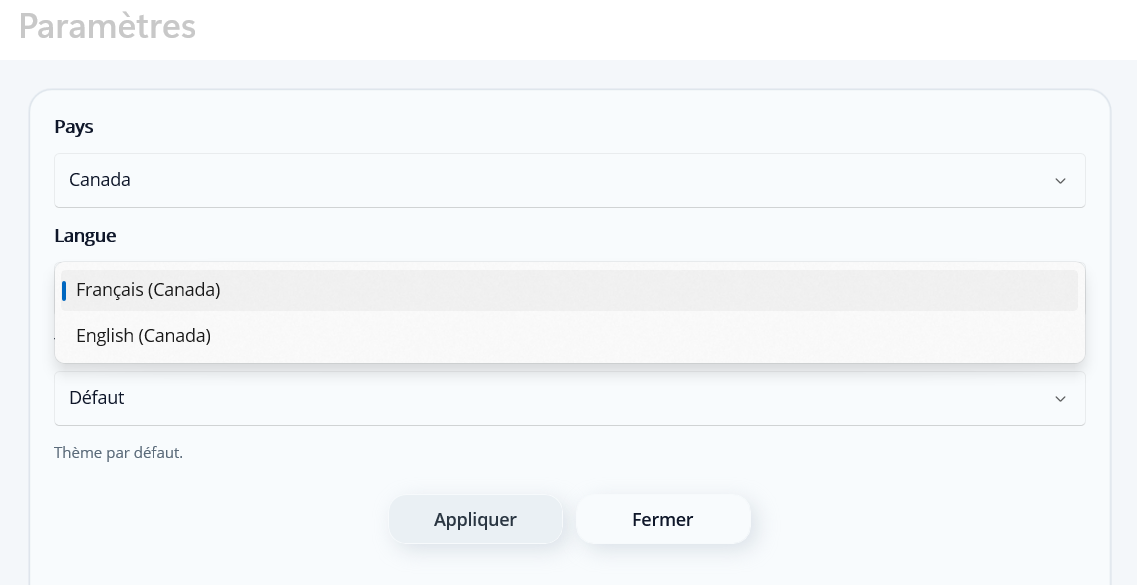
Customize the visual appearance of the game by choosing a theme from the available options: Default, Light, Dark, Zen, Colorful, and more. Each theme changes colors and overall atmosphere for optimal visual comfort. 12 themes are currently available. The list of available themes depends on the selected country. Themes are applied immediately after confirmation.
Conclusion: take your time to absorb the rules, step by step. The more calmly you practice, the more natural the patterns become. Most importantly, have fun 🙂
explication.html — v1.0.0 — 2026-06-26